

Assigning DNS to a domain is a crucial step in establishing a functional and accessible website. Proper DNS configuration ensures that your domain correctly points to your hosting server, allowing visitors to reach your site without interruptions. This process may seem complex for beginners, but with a structured approach, it becomes straightforward and manageable.
Understanding key components such as nameservers, A records, CNAME records, and TTL settings is essential for accurate setup. This step-by-step guide provides clear instructions to help you configure DNS settings efficiently, avoid common errors, and optimize your website’s performance. Following these guidelines guarantees that your domain resolves correctly and supports a seamless online experience for your audience.
Read More: How to Use Money in Free Fire: The Ultimate Guide
Assign DNS to a Domain
In technology and web management, the Domain Name System (DNS) serves a critical function. DNS translates human-readable domain names into numerical IP addresses that computers use to locate servers and deliver content. Correctly assigning DNS to a domain ensures that visitors can access websites seamlessly and that online services function reliably.
This process not only connects domains to hosting servers but also enables efficient routing of internet traffic. Understanding how to configure DNS settings is essential for website owners, developers, and IT professionals seeking optimal performance and accessibility. Below, we explore the steps to assign DNS to a domain and the role these services play in maintaining a smooth browsing experience.
What is DNS?
The Domain Name System (DNS) functions like a phonebook for the Internet. When a user enters a URL, such as the operating system contacts DNS servers to retrieve the corresponding IP address. This translation allows the browser to locate and connect to the web server hosting the website.
Without DNS, users would need to remember numerical IP addresses for every site, making navigation cumbersome. By converting human-readable domain names into machine-readable IP addresses, DNS ensures seamless access to websites and plays a critical role in the smooth functioning of the Internet.
Assign DNS to a Domain
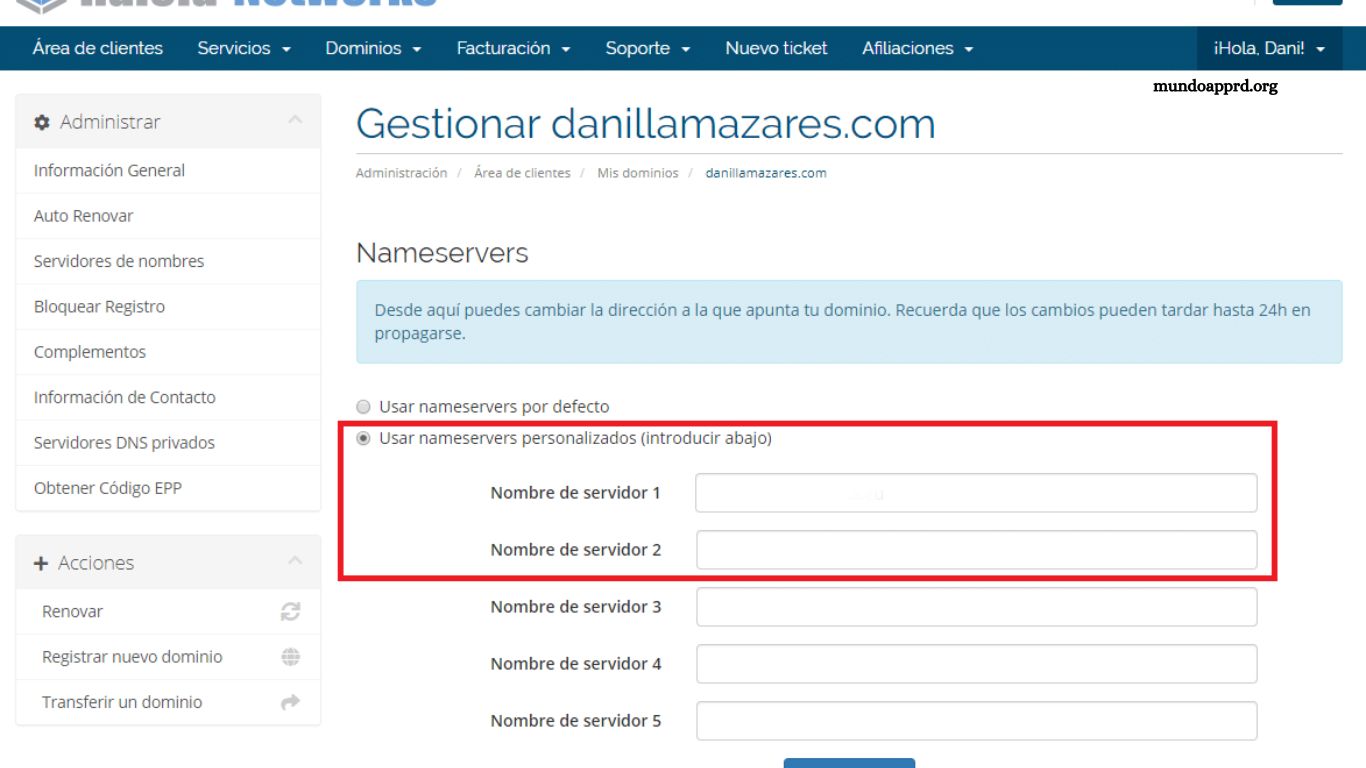
Assigning DNS to a domain begins by accessing the control panel of the domain registrar where the domain was purchased. Most registrars provide a dedicated DNS management or configuration section, although interfaces may differ. The general steps include:
- Log in to the domain registrar’s control panel.
- Navigate to the DNS settings or DNS management section.
- Edit existing DNS records or add new records as needed.
- Enter the primary and secondary DNS servers provided by your hosting provider or chosen DNS service.
- Save the changes.
After updating the DNS records, propagation can take several hours or even up to 48 hours before all servers worldwide recognize the new settings. Proper configuration ensures your domain resolves correctly and functions reliably online.
Importance of DNS
DNS is a cornerstone of the Internet, responsible for translating human-readable domain names into machine-readable IP addresses. This translation allows users to access websites effortlessly without memorizing numerical addresses. Beyond web browsing, DNS is essential for enabling email delivery, file transfers, and other network services that rely on accurate domain resolution.
Properly configured and efficiently functioning DNS ensures fast, reliable connectivity, reduces downtime, and enhances overall online performance. Without DNS, navigating the Internet and accessing online services would become cumbersome and inefficient.
Frequently Asked Questions
What is DNS?
DNS (Domain Name System) is a system that translates human-readable domain names, like www.example.com into IP addresses that computers use to locate websites. It acts as a “phonebook” for the Internet.
Why is DNS important?
DNS ensures that users can access websites, send emails, and use network services without memorizing IP addresses. Proper DNS configuration improves browsing speed, reliability, and overall online performance.
How do I assign DNS to my domain?
Log in to your domain registrar, navigate to the DNS management section, and enter the primary and secondary DNS servers provided by your hosting provider. Save changes and allow time for propagation.
How long does DNS propagation take?
Propagation can take anywhere from a few hours to 48 hours, depending on server updates worldwide.
Can I use third-party DNS services?
Yes. Third-party DNS providers often offer faster performance, enhanced security, and additional features such as traffic management and redundancy.
What happens if DNS is configured incorrectly?
Incorrect DNS settings can make your website or email services inaccessible, causing downtime and connectivity issues.
Conclusion
DNS is an essential component of the Internet, ensuring that domain names are correctly translated into IP addresses for seamless website access and reliable network communication. Assigning DNS to a domain correctly is critical for website functionality, email delivery, and other online services. By understanding how DNS works and following proper configuration steps, users can avoid downtime, improve performance, and ensure a smooth browsing experience.
