

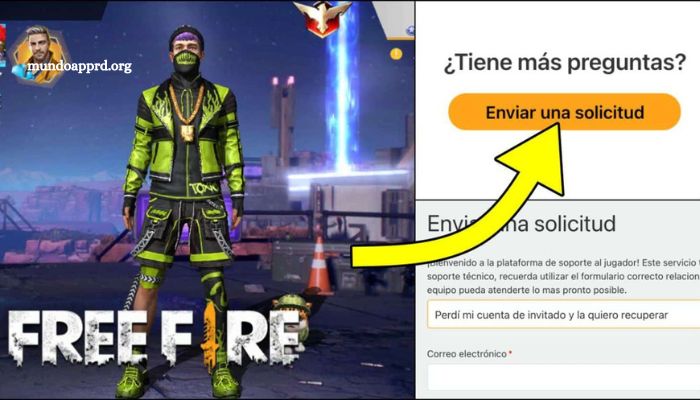
Losing access to your Free Fire account can be frustrating, especially when it’s linked to your Facebook profile. Whether it’s due to forgotten credentials, account compromise, or a Facebook login issue, recovering your account doesn’t have to be a daunting task. This comprehensive step-by-step guide will walk you through the process of regaining access quickly and efficiently.
By following these detailed instructions, you’ll be able to reconnect with your game progress, unlock your in-game assets, and return to the battlefield without starting over. Ensuring that your account is secure and fully functional again is crucial for maintaining both your progress and peace of mind. Let’s explore the precise steps needed to restore your Free Fire account linked to Facebook successfully.
Read More: Unlock the Secrets of the Free Fire Mystery Shop Event: Grab the Best Items and Skins!
Lost Access to Your Free Fire Account Linked to Facebook? Here’s What to Do
If you’ve lost access to your Free Fire account connected to Facebook, don’t panic—this is a common issue with several reliable solutions. Begin by attempting to recover your Facebook account using its password recovery tools. This is often the quickest path to regaining entry, especially if the issue stems from login problems rather than account compromise.
If Facebook recovery doesn’t resolve the issue, the next step is to contact Free Fire’s customer support. Be sure to provide accurate and detailed information, such as your user ID, in-game name, and any relevant screenshots, to help verify your identity.
Additionally, check your linked devices and recent activity for unauthorized access. Strengthening your passwords and enabling two-factor authentication are essential practices to protect your account moving forward.
How to Recover Your Free Fire Account Linked to Facebook: Step-by-Step Instructions
If you’ve lost access to your Free Fire account linked to Facebook, don’t worry—recovery is possible with the right steps. Follow the guide below to restore access and get back into the game:
Check Your Internet Connection
Before beginning the recovery process, ensure you have a stable and secure internet connection. A poor connection can interrupt login attempts or verification steps.
Access the Account Recovery Page
Visit the official Free Fire account recovery page. Select the Facebook login option, then enter your Facebook credentials. If your Facebook account is still active and linked, this step should reconnect you to your Free Fire profile.
Verify Your Identity
If prompted, complete the identity verification process. This may include answering security questions or confirming linked details. Be sure to follow the on-screen instructions carefully to prove account ownership.
By following these steps, you should be able to recover your Free Fire account linked to Facebook and resume your progress without starting over. Make sure to secure your account afterward by enabling two-factor authentication and updating your passwords regularly.
Tips to Protect Your Free Fire Account Linked to Facebook
- Secure Your Facebook Account
Your Free Fire account’s safety depends heavily on your Facebook account security. Use a strong, unique password and enable two-factor authentication (2FA) to add an extra layer of protection against unauthorized access. - Avoid Sharing Personal Information
Keep sensitive personal details—such as your full name, date of birth, and location—off your Facebook-linked Free Fire profile. Limiting this information reduces the risk of identity theft and other security threats. - Regularly Review Privacy Settings
Take time to review and customize the privacy settings on both Facebook and Free Fire. Restrict who can view your posts and profile details to maintain control over your account and minimize exposure to potential risks.
Common Issues When Recovering a Free Fire Account Linked to Facebook
Recovering a Free Fire account linked to Facebook can sometimes be more challenging than expected. Players may encounter several common problems that can delay or complicate the recovery process, especially when trying to regain access to their in-game progress and linked profiles.
One of the most frequent issues is forgetting the Facebook account password, which directly prevents users from logging in to their Free Fire account. Without access to the correct credentials, players are locked out of both platforms.
Another common complication is losing access to the email address associated with the Facebook account. This can make it difficult—or even impossible—to reset passwords or verify account ownership through traditional recovery methods.
Additionally, resetting a Free Fire account password can be problematic when the account is linked to Facebook. Since Facebook handles the login process, password recovery within Free Fire itself may be limited, creating confusion for users expecting a direct solution from Garena.
In summary, the most common challenges include:
- Forgotten Facebook passwords
- Inaccessible email accounts linked to Facebook
- Difficulties resetting Free Fire passwords due to Facebook integration
These issues can significantly hinder the account recovery process and frustrate players eager to return to the game. Understanding these potential obstacles is the first step toward resolving them effectively.
What to Do If You Can’t Recover Your Free Fire Account Linked to Facebook
If you’re unable to recover your Free Fire account linked to Facebook, there are several steps you can take to resolve the issue and regain access.
Start by confirming that you’re using the correct email address or phone number associated with your Facebook account. It’s possible that recent changes to your account information could be causing the login issue.
If your credentials are accurate but you’re still unable to log in, try resetting your Facebook password using the recovery options provided by the platform. Follow all prompts carefully to restore access.
Should these steps fail, it’s recommended that you contact Free Fire customer support directly. Provide detailed information—such as your user ID, in-game name, and a description of the issue—to help expedite the recovery process.
Frequently Asked Questions
What should I do if I forgot the password to my Facebook account?
Use Facebook’s official password recovery tool. Go to the Facebook login page, click “Forgot Password,” and follow the steps using your registered email or phone number.
Can I recover my Free Fire account if I no longer have access to my Facebook email?
Yes, but first, try to recover your email account through your email provider. If that fails, contact Facebook support to update your account information. Once access is restored, you should be able to log into Free Fire.
Is it possible to unlink my Free Fire account from Facebook and link it to another login method?
Garena does not currently support unlinking accounts once they are connected to Facebook. However, you can bind your account to other platforms (Google, VK, etc.) if available in your region and your account is eligible.
What information do I need when contacting Free Fire support?
Prepare your user ID, in-game name, device details, and any relevant screenshots. The more accurate and complete your information, the faster support can verify your account.
Will I lose my game progress if I can’t recover my Facebook account?
Yes, if your Facebook account is permanently lost and was your only login method, your Free Fire progress may not be recoverable. It’s important to secure and back up your login credentials.
Conclusion
Recovering a Free Fire account linked to Facebook can be straightforward when you follow the right steps carefully. Ensuring you have access to your Facebook credentials and verifying your identity are crucial first steps. In cases where recovery becomes challenging, reaching out to Free Fire’s customer support with detailed information can significantly improve your chances of success.
