

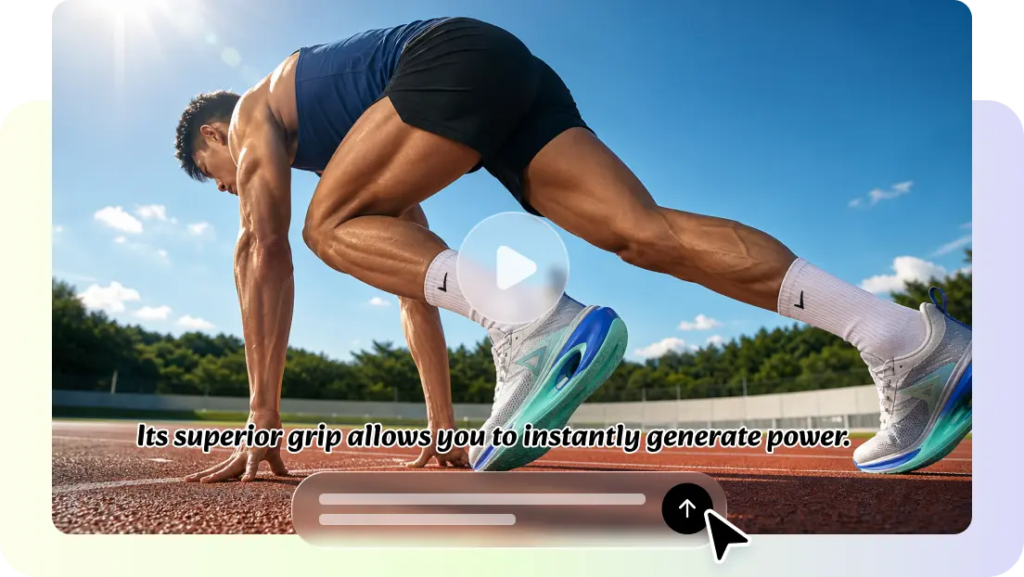
With the help of connected storytelling, ordinary AI videos become memorable visual experiences. People inherently view videos that logically follow a sequence of events from start to finish. Sequential scenes also enhance emotional impact and clarity of messages. With its advanced video creation capabilities, Pippit enables longer story-driven productions. It can continuously generate scenes, provide timestamp guidance, realistic motion, and editing tools, allowing creators to achieve more consistent visuals throughout a full 30-second sequence.
Why Connected Shots Create Better AI Videos
They’re connected shots that tell a whole story rather than an unconnected sequence of moments. The beginning is clear and sets up the topic. The middle has an orderly progression of actions. The conclusion is satisfying, with no sudden jumps. This structure enhances the audience’s comprehension and enhances the quality of the story. Product demonstrations, educational videos, promotions, and creative works can also be made with the continuous visual flow. The viewer is kept engaged as each moment naturally flows into the next scene. Smooth transitions keep attention through the entire sequence and avoid any confusion. The emotional impact is also increased with connected storytelling, as each visual is related to a single meaningful goal rather than a series of highlights.
Plan a 30-Second Story Before Writing the Prompt.
Planning leads to better outcomes prior to generation. Break the whole story into a beginning, middle, and end, with clear goals. The beginning should immediately introduce the setting, topic, and atmosphere. The middle must have purposeful action with no unnecessary distractions. The conclusion should be logical and support the message. Before writing the full prompt, decide on one purpose for each scene. Use the same character, product, clothing, color, and environment descriptions in all sequences. By planning consistently, the AI video generator can better grasp the instructions and create smoother transitions from the first frame to the last moment.

Steps to Keep Every Shot Connected in 30 Seconds with Seedance 2.5
Step 1: Plan your connected video flow
- Sign up for Pippit with your Google, TikTok, or Facebook account information.
- Access the “More” tab on the left vertical menu bar and select “Video generator”.
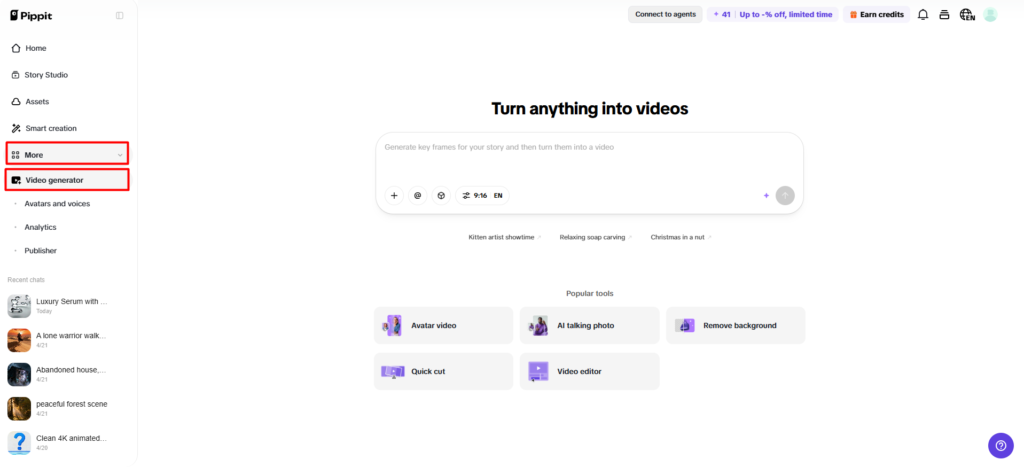
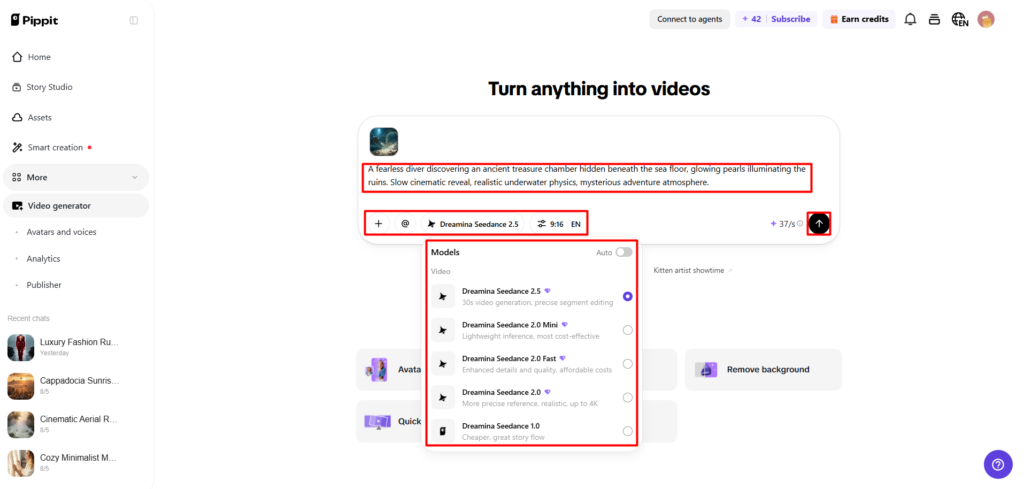
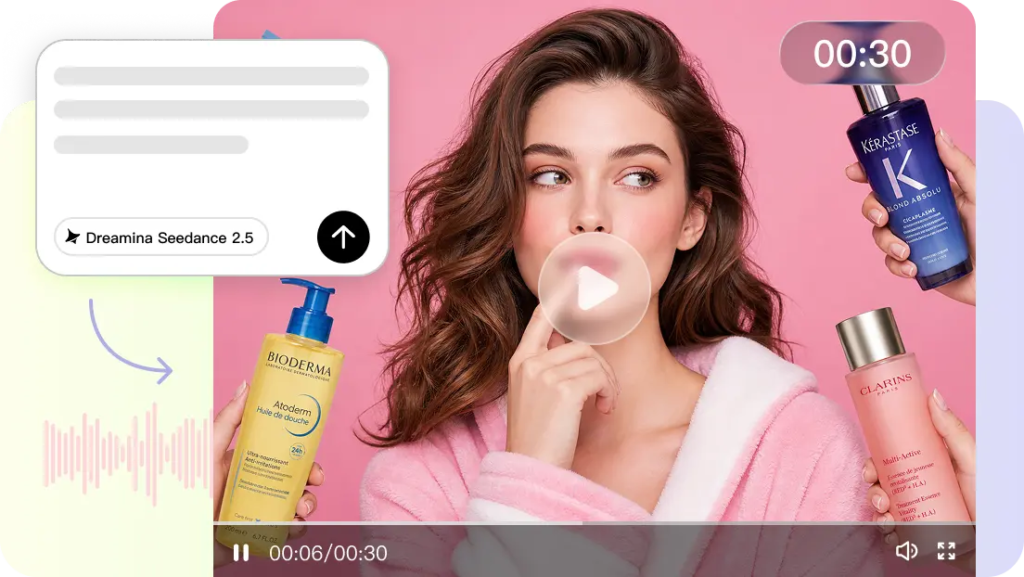
- Choose “Dreamina Seedance 2.5” to create connected video scenes.
- Enter a detailed text prompt explaining the shot sequence, movements, transitions, and visual style.
- Select video length, language, subtitles, and aspect ratio.
- Click “+” to upload reference images or videos from your device, phone, Dropbox, or a link. You can also select assets if reference media is unavailable.
- Click “Generate” to start creating.
Step 2: Generate connected scenes
- After clicking “Generate”, Pippit’s AI video generator creates a video based on your prompt and reference media while keeping shots connected.
- The AI manages transitions, pacing, captions, avatars, voice, lyrics, and visual enhancements.
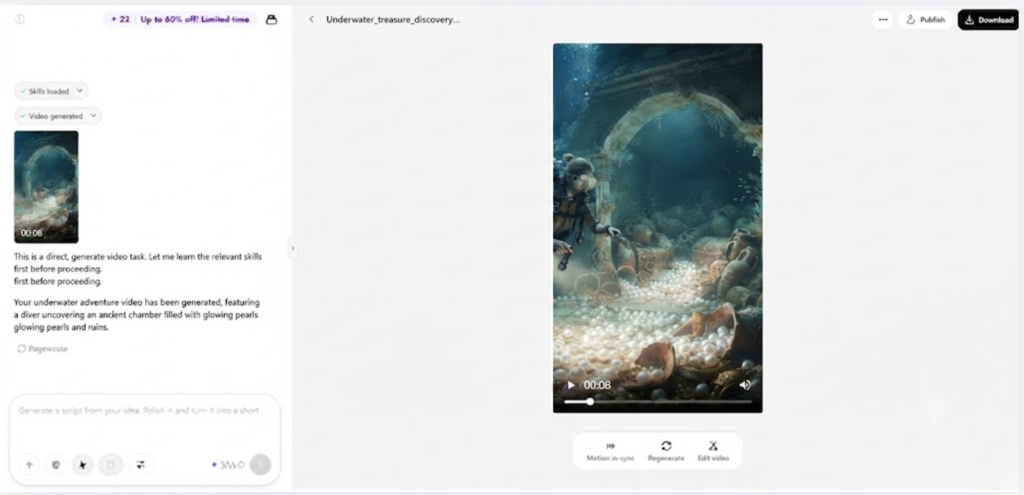
- You will receive a video draft for review.
Step 3: Edit and export
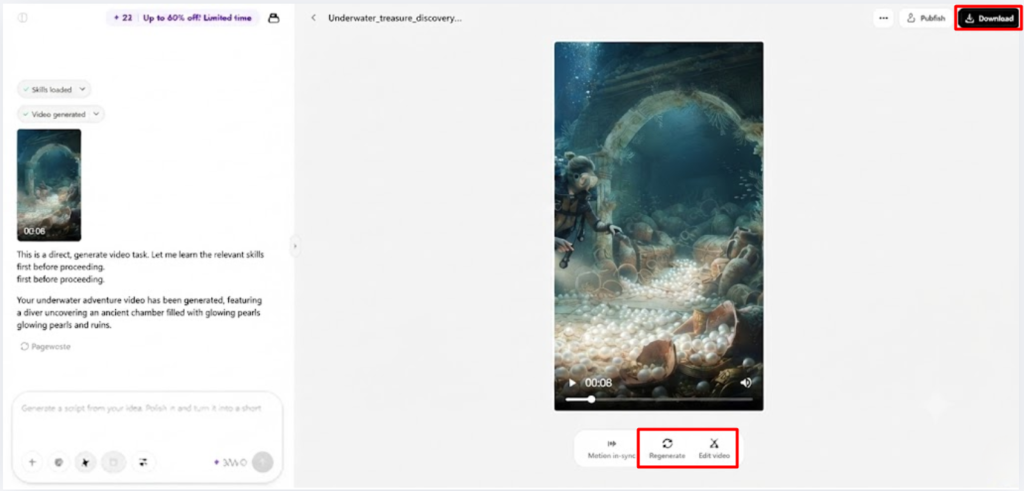
- Click the “Download” tab in the top right corner to save the video. You can also click “Regenerate” or select “Edit more” below the video for more adjustments.
- Edit captions manually, add text, and adjust size, color, alignment, filters, and effects.
- Add background music, remove backgrounds, and improve visuals.
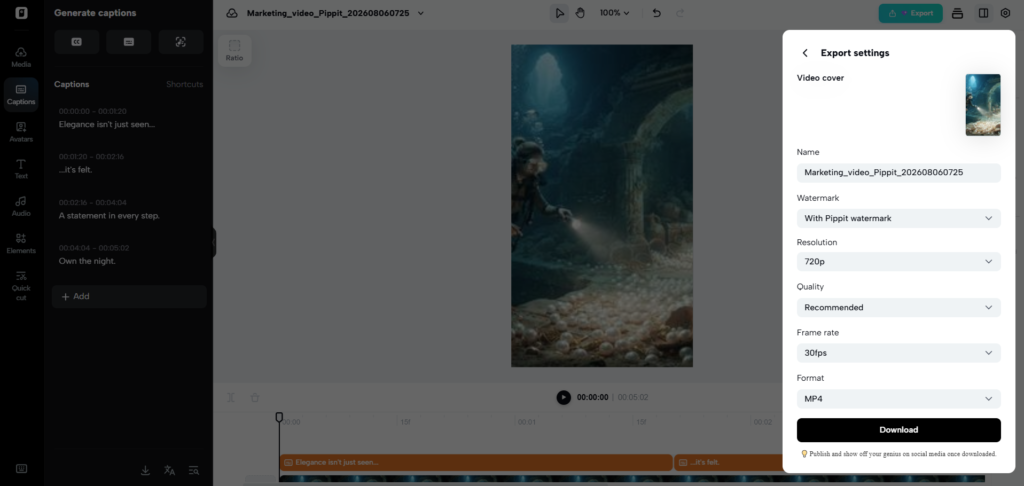
- Click “Export” in the top right corner.
- Select “Publish” to post on TikTok, Instagram, or Facebook, or click “Download” to save the video with your preferred format, resolution, frame rate, and quality.
Use Seedance 2.5 Features to Maintain Scene Continuity
Pippit Seedance 2.5 offers tools to enhance connected storytelling in longer videos. Continuous generation is able to generate full 30-second sequences without the need for unnecessary scene breaks. With footage extension, creators can extend their current footage instead of repeatedly creating new footage. The appearance of characters is consistent throughout, with careful reference and description prompts. Product colors, product packaging, clothing, hairstyles, and environments are also consistent between linked scenes. Director-style camera movement makes for smoother transitions between key story moments. Natural object movement, material behavior, and human actions are enhanced through realistic motion simulation. Visual references for subject, composition, mood, and style throughout the full sequence help to strengthen creative direction through multi-format approaches.
Write Prompts That Keep Every Shot Connected
Good prompts talk about what is happening in relation to other things that happen. Use a compelling beginning that sets out the main subject and setting. Don’t break out of anything abruptly; keep it flowing logically from one scene to the next. Describe the same subject again if the same person, object, or product is repeated. Describe camera movement clearly between scenes using simple chronological instructions. When visual consistency is important, talk about lighting, environment, mood, and movement. Fill in the blank with a suitable conclusion that makes sense with the sequence. Using chronological organisation helps minimise interpretation errors and enhance continuity across longer visual narratives developed within Pippit.
Control Story Flow with Timestamp Prompts
Timestamp prompts help to divide longer videos into more discrete parts without disrupting the flow. Include actions at different points in the overall timeline. Ensure correct camera shots at the appropriate times to create a steady flow of the visuals. Carefully plan the movement of each character so that every move is caused by what has happened in the past. The time stamp guidance also facilitates pacing, providing slower content in the centre before greater central actions, leading to a good conclusion. A structured amount of timing may assist in removing any sudden jumps and make sure that every major beat of the story occurs at the correct moment. Structured timestamps enable seamless viewing experiences and enhance the continuity and clarity of visual narratives.
Refine Connected Scenes Before Final Export
The editing makes for smoother continuity before viewers get a chance to view the product. Look at where the captions are positioned to make sure they are easy to read and don’t block important information in the images. Use green screen to alter the background if it will aid in the story. Adjust lighting, color, texture, and visual effects until all scenes look alike. Look at the amount of movement that a subject undergoes throughout the entire sequence for abrupt changes or unrealistic movement. A lot of times, small changes equate to huge professional quality. By careful review, continuity errors are also avoided in the publication process. Pippit’s editing environment gives hands-on editing tools that enhance the entire storytelling without the need to recreate entire projects.
Common Mistakes That Break Scene Continuity
Some common pitfalls detract from storytelling, despite a good creative concept. Don’t give vague prompts, as the instructions may lead to different outcomes. Any abrupt shift in topics, costumes, settings, or products baffles viewers and disrupts the storyline. Inconsistent camera directions also thwart smooth progression between connected scenes. Random angle changes cause instability of the image and divert the attention of the audience. Not doing the last review is a mistake that will result in unnecessary publishing errors that will show up after export. Always check out all transitions, captions, moves, and visuals before releasing. Thorough planning, descriptions and prompts, and detailed review create stronger, connected videos, professionally presented.
Tips for Writing Strong Continuity Prompts
- Write a description of the first scene using a single visual focus.
- Describe how each action flows logically from the previous one.
- Use the same subject descriptions throughout the entire prompt.
- Clearly indicate camera move in between connected scenes.
- Use a conclusion scene that has a purpose and ties the story.
- Make sure all instructions are given in the correct order for easier interpretation.
Conclusion
Connected storytelling creates more powerful videos, with a logical flow from start to finish and careful planning; each shot will contribute to the overall story. Structured prompts decrease inconsistencies and enhance visual coherence. Timestamp guidance enhances the accuracy of actions in longer sequences. There is also a huge amount of editing that goes into captioning, lighting, background, and movement before it is published. Pippit brings all these together in one creative process, helping creators to produce engaging experiences, captivating stories and seamless continuity in their 30-second video clips.
