

A bilingual poster has to do two jobs at once. It needs to look striking from across the room, and it needs to deliver the same message clearly in two languages. Getting both right usually takes plenty of layout work. Dreamina’s latest and most advanced image generation model, Seedream 5.5, helps you explore bilingual event posters with bold typography, handling text in complex scenes while keeping the design lively.
This guide shows how to plan a bilingual layout, write prompts that protect text accuracy, and pair strong lettering with eye-catching imagery.
Why bilingual posters need extra care
Two languages mean two sets of letterforms, line lengths, and reading habits. A layout that works for English may crowd Chinese characters, and the reverse is also true.
Bilingual posters also have to keep the hierarchy clear. Viewers should know which line is the title, which is the tagline, and which is small print. Dreamina with Seedream 5.5 can help you test arrangements quickly, so you can see which hierarchy reads best.
Meet Seedream 5.5, Dreamina’s most advanced image generation model
Seedream 5.5 powers Dreamina’s newest image tools and brings text, layout, and style together. Its main highlights include:
- RGBA transparent layered generation for reusable assets
- Precise editing of specified areas
- Complex information design with accurate text and sensible structure
- Improved portrait realism
- Intelligent lighting with movie-style presets
For bilingual posters, complex content generation is the star. The manual describes accurate text in complex scenes and canvas layout and color scheme optimization.
Two bilingual concepts from the manual
The manual shows two examples that pair English headlines with Chinese lines:
- MAKE SOME NOISE: music culture with fluorescent green, tomato red, bold text, and purple headphones. The Chinese lines mean “Let Inspiration Speak” and “Independent Creation · Global Resonance.”
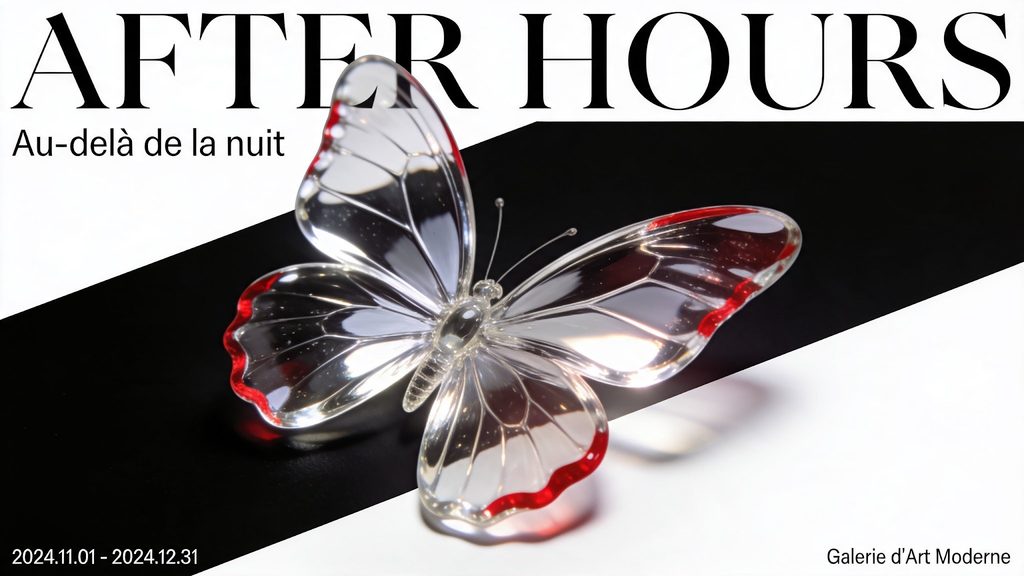
- AFTER HOURS: an art exhibition in black, white, and red with slender serif characters and glass butterflies. The Chinese lines mean “Beyond the night” and “from daily life to imagination.”
Both are concept activities, so they contain no real dates or prices.
Build a bilingual poster in 3 fun steps with Dreamina
Step 1: Open Dreamina and write detailed text prompts
Open Dreamina, click “AI Image”, and describe the image you want to produce.
Example prompt: Design a bilingual music event poster with the English headline “MAKE SOME NOISE” in huge bold lettering, a purple headphone illustration, a fluorescent green and tomato red palette, and a Spanish tagline meaning “Let Inspiration Speak” placed beneath the headline.
Step 2: Choose a model, settings, and generate
Choose “Image 5.5 by Seedream 5.5” and adjust the image settings to match your needs, such as aspect ratio, resolution, and number of outputs. Once done, click “Generate” to build the poster.
Step 3: Refine and export
Fine-tune your specific areas by adjusting colors, shapes, text, or other visual details through follow-up edits. Once the poster looks right, check the final layout and text for accuracy, then click “Download” to save the generated poster image.
Put every line of text in quotation marks
The prompt guide behind Seedream 5.5 says text must be placed in quotation marks. This tells the model exactly which words to render.
For a bilingual poster, quote the English line and the Chinese line separately. Write the exact Chinese wording you want rather than a description, because a description may be translated differently than you intended. Precise text in means precise text out.
Describe font, weight, color, and alignment
Typography instructions turn plain words into a design. The manual recommends stating the font style, weight, color, alignment, and number of lines.
For example, you might ask for a heavy sans-serif English title in white, centered on one line, and a lighter Chinese tagline in yellow on the next line. The more specific the typography, the less the model has to guess, and the more consistent the result will be.
Pair bold lettering with a strong visual
Large type needs a visual partner. In the MAKE SOME NOISE concept, purple headphones and a bright color scheme match the energy of the words.
In AFTER HOURS, slender serif characters and glass butterflies create a quieter, elegant mood. Choose imagery that matches the tone of your text. Bold type with a delicate image can feel mismatched unless you plan it on purpose.
Hierarchy for two languages
A clear order helps readers navigate. Typically, the main English title is the largest, the Chinese tagline is next, and small print is last.
Make the size differences obvious. If two lines compete, viewers hesitate. Seedream 5.5 can handle text that varies in size to highlight key points, so describe which lines are primary and which are supporting. Then check the result at a glance, as a passerby would.
Making precise text changes
You may need to fix a single word after the first generation. The manual advises being precise about what word to replace and on which line.
Add that the original layout, line spacing, and background should remain consistent. This keeps the edit focused. Avoid rewriting the whole prompt, which might change parts of the design you already like.
Using placeholders and real details
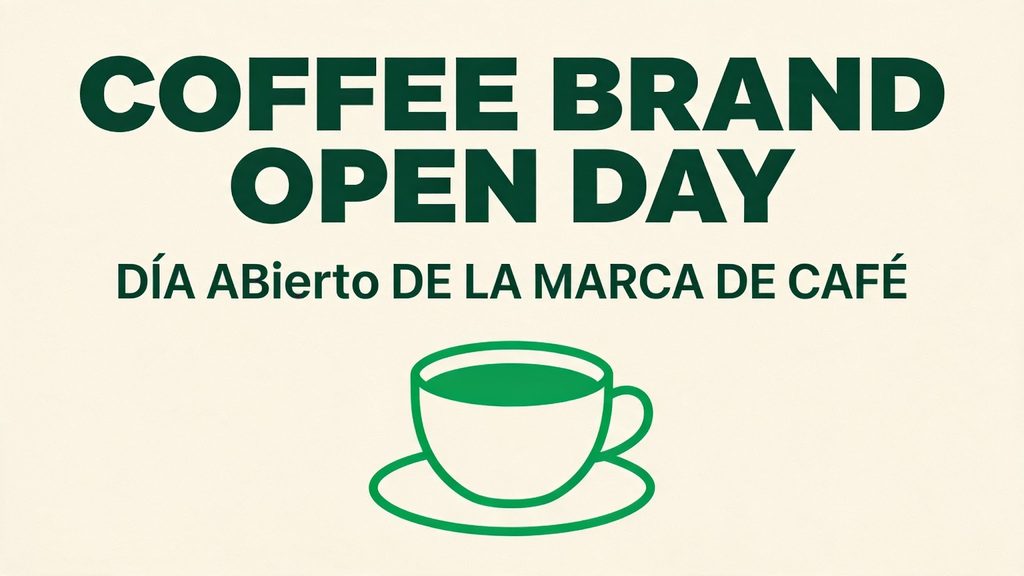
The manual’s examples are concept events, so any dates and prices are placeholders. When you build your own poster, you will add real details.
Include them in quotation marks and check them carefully afterward. Small print and numbers are easy to mistype, so compare the rendered text against your source copy before you publish.
Final review checklist
Before you download, scan the poster for these points:
- Every word is spelled correctly in both languages
- The hierarchy is clear at a glance
- Colors and fonts feel consistent
- No text is cropped or crowded
If something is off, correct that area through follow-up edits rather than regenerating everything.
Final thoughts
Bilingual event posters can look bold and clear at the same time when you plan the structure well. With Dreamina’s Seedream 5.5, you can combine strong English headlines with Chinese taglines, choose imagery that matches the mood, and control typography with precise instructions.
With those habits in place, Dreamina becomes a fast way to explore poster directions, fine-tune details, and download a design that is ready for your next event.
