

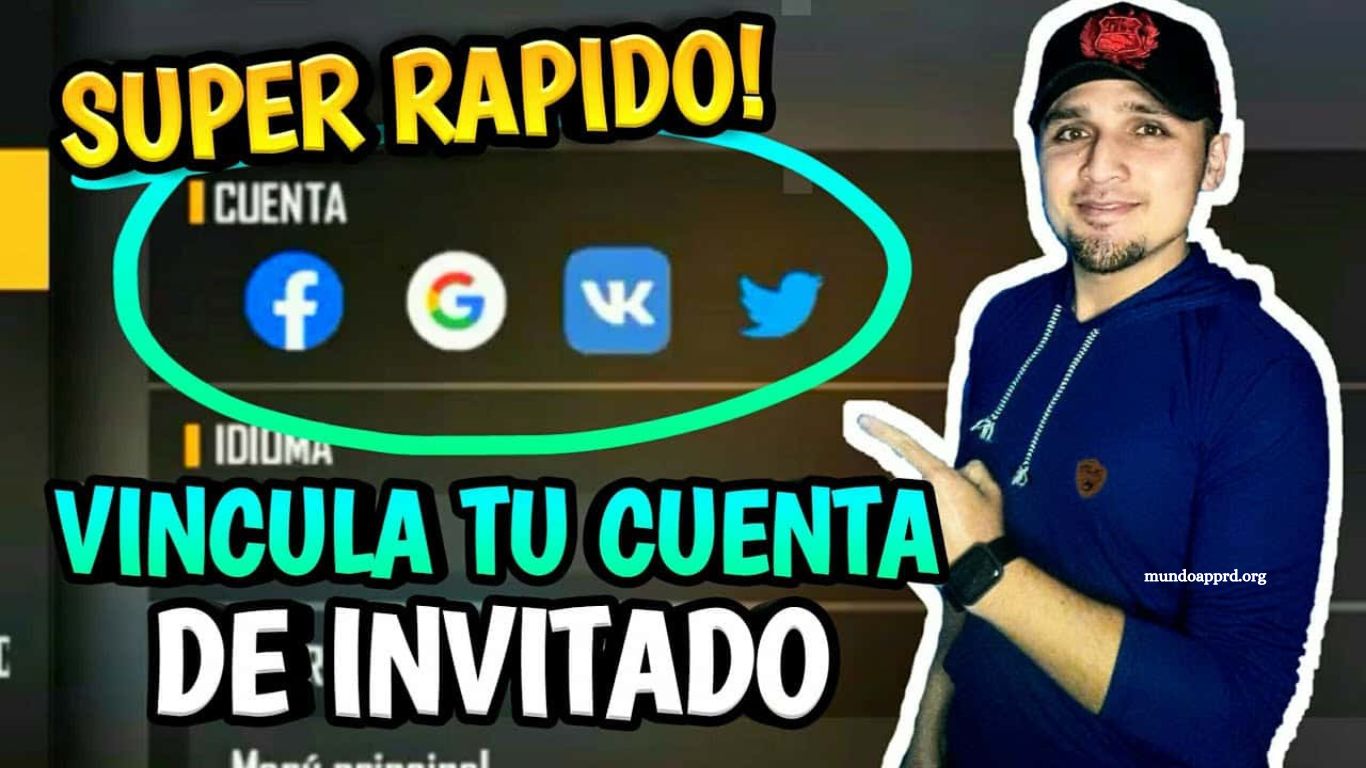
Linking your account in Free Fire is essential for maximizing your gaming experience and accessing exclusive rewards that enhance gameplay. This step-by-step guide provides clear instructions to ensure a seamless connection between your Free Fire account and your preferred platforms. By following these steps, players can secure account data, synchronize progress across devices, and gain access to special in-game items, bonuses, and events reserved for linked accounts.
Whether you are a new player seeking a smooth start or a seasoned gamer looking to unlock hidden benefits, this guide offers practical insights and actionable steps. Learn how to connect accounts efficiently, avoid common errors, and take full advantage of Free Fire’s exclusive rewards ecosystem.
Read More: Master Free Fire: Proven Strategies to Win Hearts and Dominate the Game
What is Free Fire and Why You Should Link Your Account
Free Fire is a globally popular battle royale survival game developed by 111 Dots Studio and published by Garena for mobile devices. With millions of active players worldwide, it delivers fast-paced, action-packed multiplayer matches where the ultimate goal is to be the last player standing.
Linking your Free Fire account unlocks a host of benefits. It allows you to save progress, transfer your account across devices, claim in-game rewards, participate in special events, and enjoy an enhanced, uninterrupted gaming experience. Most importantly, it ensures that your achievements and purchases remain safe in case of device loss or account issues.
Linking your account is essential to fully enjoy Free Fire’s features while protecting your progress and investments.
Step-by-Step Instructions to Link Your Free Fire Account
Step 1: Open the Free Fire app
Launch Free Fire on your mobile device and ensure you are logged in to your current account.
Step 2: Access the Settings menu
ap the gear or settings icon, usually located in the top corner of the screen.
Step 3: Select “Link Account”
Within settings, find the “Link Account” or “Account Linking” option.
Step 4: Follow the on-screen instructions
Follow the prompts to link your Free Fire account to your preferred platform. This may involve entering login credentials or confirming account access.
Once completed, your account will be linked, giving you access to exclusive rewards, secure progress, and a more seamless gaming experience.
Common Issues and How to Solve Them
Linking accounts can occasionally encounter problems, such as verification errors, two-factor authentication issues, or difficulties connecting to other platforms. Clear guidance and troubleshooting steps are essential to resolve these challenges quickly.
Providing support, creating detailed resources, and improving the user interface can make the linking process smoother. Proactively addressing common issues not only reduces frustration but also builds user trust and confidence.
Benefits of Linking Your Free Fire Account
Linking your account goes beyond convenience. It ensures your progress, purchases, and achievements are backed up and transferable to new devices. Linked accounts often grant access to exclusive rewards, in-game bonuses, and special events.
Additionally, linking makes it easier to connect with friends and other players, enhancing your social experience. The added security gives peace of mind, knowing that your hard-earned progress and purchases remain safe under any circumstances.
Tips to Keep Your Linked Account Secure
- Enable Two-Factor Authentication Adds an extra verification step for enhanced security.
- Monitor Account Activity Regularly review account activity for unusual actions and take immediate action if suspicious activity is detected.
- Use Strong, Unique Passwords Avoid easily guessable passwords to prevent unauthorized access.
- Never Share Credentials Keep your account login information private at all times.
Following these tips ensures your linked account remains safe, allowing you to focus on enjoying Free Fire without worries.
Frequently Asked Questions
What platforms can I link my Free Fire account to?
You can link your Free Fire account to multiple platforms, including Facebook, Google, VK, Apple, and Twitter. Linking to these platforms ensures your progress is saved and transferable across devices.
Why should I link my Free Fire account?
Linking your account secures your game progress, protects purchases and achievements, allows access to exclusive rewards and events, and makes switching devices seamless.
Can I play Free Fire on multiple devices with a linked account?
Yes. Linking your account allows you to log in on any supported device and continue your progress without losing data.
What should I do if I encounter errors while linking my account?
Common errors include verification issues or platform connection problems. Ensure your credentials are correct, check your internet connection, and follow the in-app troubleshooting steps. Contact Free Fire support if the issue persists.
Are there risks to linking my account?
Linking is generally safe, but you should use strong, unique passwords, enable two-factor authentication, and avoid sharing your credentials to prevent unauthorized access.
Will linking my account give me extra rewards?
Yes. Free Fire often provides in-game rewards, bonuses, and access to exclusive events for linked accounts.
Conclusion
Linking your Free Fire account is a simple yet essential step for every player seeking to maximize their gaming experience. By connecting your account, you secure your progress, protect your purchases, unlock exclusive rewards, and gain access to special events that enhance gameplay. The process is straightforward, and following the step-by-step instructions ensures a smooth setup across devices.
